• Skip to primary navigation
  • Skip to main content
  • Skip to primary sidebar

Technology blog

Technology Blog

  • Tech Updates
  • SEO
  • Reviews
  • Google
  • Blogging
  • Windows
  • Downloads
  • Earn-Money Online
  • Android

Tech Updates

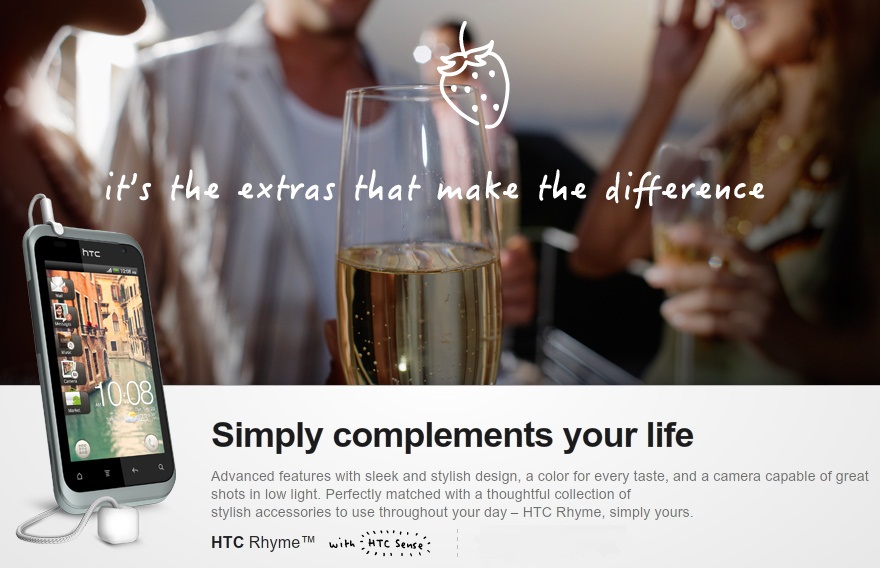
HTC Rhyme is now available in Indian Market

December 3, 2011 by Technology Blog Leave a Comment

HTC Rhyme finally lands India on december 3, 2011 (Released 20 September, 2011 worldwide). Its a little more than just a mobile or smartphone – whatever you say. Its 720p HD video recording capabilites with a LED flash supporting a 5 MP camera and its super cool HTC Sense UI 3.5
 
Specifications:
  • Size – 116.8 x 61 x 10.1 mm
  • Display – S-LCD Capacitive TouchScreen 480 x 800 pixels 3.7″
  • Memory – Internal 4 GB; RAM 768 MB ; Expandable upto 32 GB with memory car 
  • Connectivity – WiFi, 3G, BT v3.0, USB v2.0
  • Camera – Rear – 5MP 2592 x 1944 pixels, LED flash and supports 720p Video Recording; Front – VGA
  • OS – Android v2.3.4 (Gingerbread)
  • Processor – 1 GHz Scorpion Processor with Qualcomm MSM8255 chipset
  • Colour – Only “Clearwater” colour available in India.

Price: MRP – Rs 29,900/- ; MOP – Rs 27,499/-

Where to buy: 
Flipkart : Rs 24,800/- (Recommended)
Letsbuy : Rs 24,799/- (Recommended)
HomeShop18 : Rs 24,700/-
IndiaPlaza : Rs 25,948

Filed Under: Tech Updates

YouTube gets ‘Face’ change

December 2, 2011 by Technology Blog Leave a Comment

Google is a lot changing these days, Changing all its colours to pure clean white and shades of Black and Red. We had its social networking site G+ with a new theme, different from other Google products. And after its official launch, Google has been shutting down many of its unused (better to say less used) applications like the Wave, Buzz and lot more. And in the past two months we saw our Google Sign-in Page change, followed by its Reader, Blogger, Gmail and Picasa had a name change – thats all what I use much from Google.
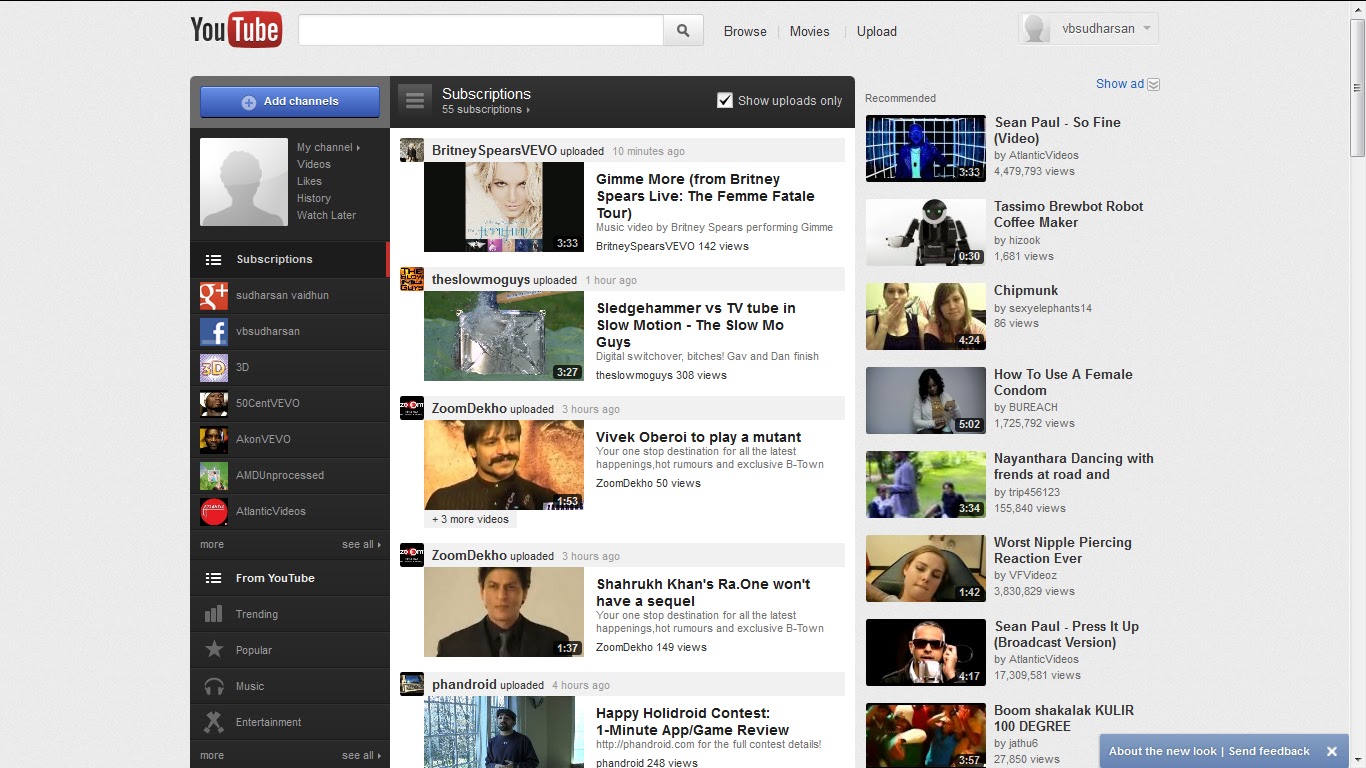
2nd of december we see YouTube getting a new face! It has got no Static bars, but still its Pretty cool. This generation would have hardly a few who doesnt know YouTube.
In its general look, we have its categories listed at its left, you hit on a tag, the central white strip shows you a list of videos and followed by right most bar having the ‘Featured videos.

And looking into the changes in the personal profile, we have our subscriptions on our left dark bar, contents of selected subscription in the centre whit strip and ‘Recommended videos’ on the right most bar.

 Everything is changing in Google! After all Change keeps you High!

Filed Under: Google, Tech Updates

Napster dies! Officially joins Rhapsody

December 2, 2011 by Technology Blog Leave a Comment

Napster, originally co-founded by Shawn Fanning, John Fanning and Sean Parker was started as an independent peer-to-peer file sharing service. It soon gained a pack of High Profile enemies because music sharing made them look hardly legal. They were defeated, noone is fully successful. They did come back, a great comeback with a legal music sharing service. And for past few months they are into a lot of trouble until they joined with Rhapsody on december 1st.
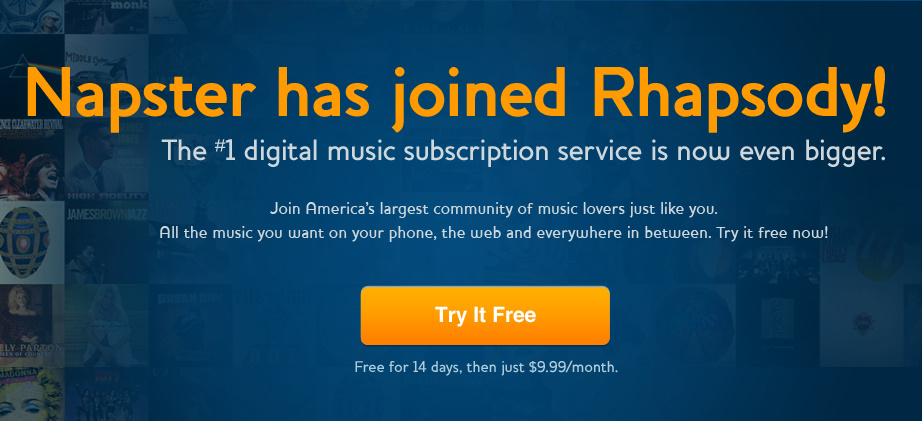
They got their service fully shut down officially and the domain Napster.com has got some changes, directs its good old customers to Rhapsody. And they got this proud banner saying ‘America’s largest community of music lovers’.

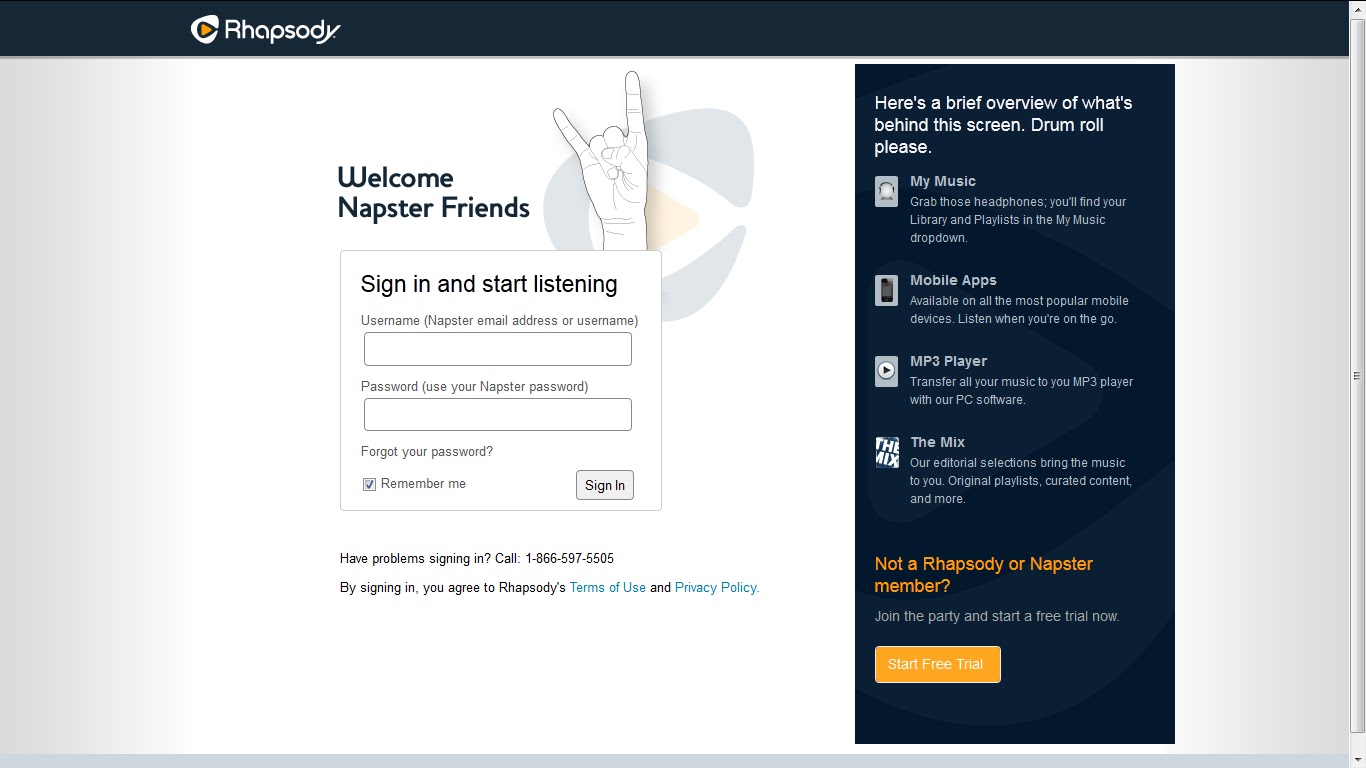
Rhapsody’s home page has got changes too. Invites its Napster customers.

Filed Under: Tech Updates

Samsung Champ 2 – Coming Soon

November 24, 2011 by Technology Blog Leave a Comment

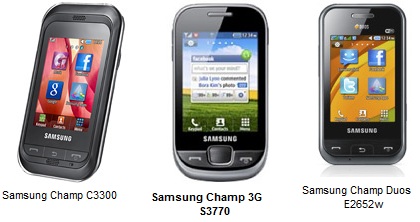
    Samsung leads the smartphone market, despite its too many battles against the gaint Apple, spread over half the continents. The company has let down its low end models. The Korean company, launched its low end Java Touch mobiles long back in the June of 2010, Under the series named Champ. Samsung C3300K (or C3303 Champ) was the first model of the series. As it was the beginning of the Smartphone trend, the mobile had a decent welcome in India, It started replacing the basic mobiles.

    Touch Phone era has brought desire in most of the people (atleast for those who are aware that something revolutionary is happening in the mobile technology). The Entry of Android, battling against the existing giants like the iOS, Blackberry OS, WP, Meego made the number of smartphones available increase in great numbers. Growing development enhanced the Touchphones with Android OS and lots of mobiles were pouring out. Every week there were atleast 2 mobiles newly releasing in the near end of 2010. Sammy took the advantage of the craze  for touchmobiles and the interest in Dual sim mobiles and gave a hybrid mobile combining the features of the Duos series and Champ series as Samsung Champ Duos E2652 announced.
    World is getting too hasty. Everyone needs speed. Everyone needs things done quick. Why not mobile users wish speed? 3G Technology provided us with download speeds of 7.2 Mbps. Samsung announced Samsung S3770 (a.k.a Samsung Champ 3.5 G).
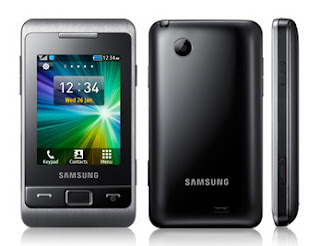
Still Samsung feels, its customers are not satisfied. The Former released Champ had just 1.3 MP camera which was so disappointing. FM recording was not included. Added with this features is the next ‘Coming Soon’ Samsung Champ 2 (model number C3330).
Improved Features:
  • Camera – 2 MP 1600×1200 pixels (1.3MP 1280×1024 pixels is the previous model)
  • FM recording
  • Bluetooth v3.0 with A2DP (v2.0 is previous model)
  • Increased Stand-by time and Talk time
  • Social Integration
  • Memory Card slot capacity upto 16GB (8GB previous model)
Cons:
  • 3G radio and WiFi wasn’t added (though is was available in Champ 3G)
  • No secondary camera
  • No GPS facilities
  • Internal memory is just 20MB
User Point of View:
  • Not many Java Apps are supported.
  • The device is not robust. You may get the camera damaged if you drop down, But still nothing happens to the device.
  • But still considering the money you pay for the device and considering the facilities, the Cons are not to be worried about.
  • I personally suggest one can have this device for doing the original mobile functions like Call, Messageing, Browsing and use another high end for the other extra features like Watching movies, Capturing 1080p videos, HDMI connection with your Big TV

Like my work? Visit my profile at About.me

Filed Under: Tech Updates

Convert PC to Internet TV.

November 13, 2011 by techiefeeds Leave a Comment

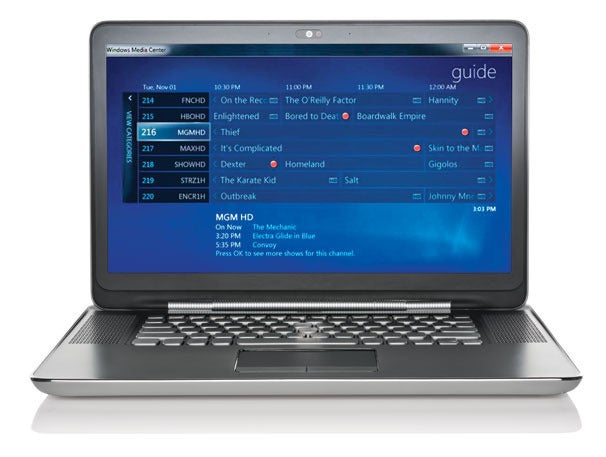
Want to turn your PC into a cable TV or DVR, requires no monthly Fee..and provides limitless storage?  Many of way, we can set up TVchannels on our PC. with internet or via TV tunner cards and cable.
3 ways to setup internet / PC TV.
1) Watch on a website.


   If you have an Internet connection with avg. speed, Its easy and cheapest methode 🙂
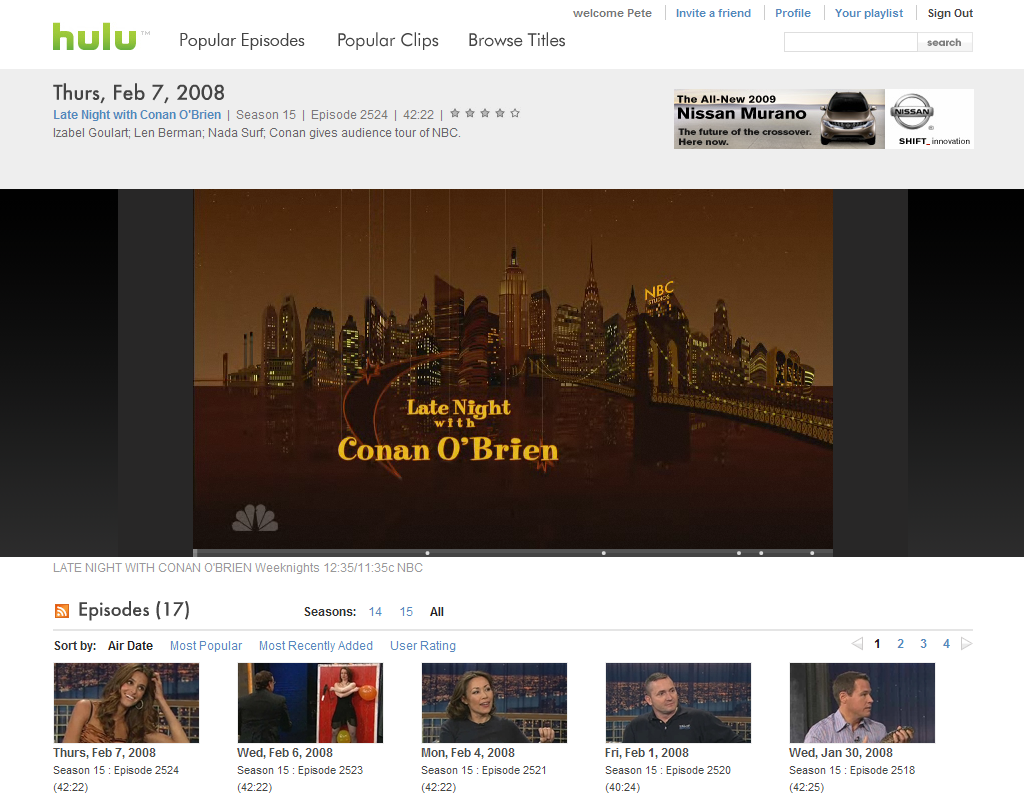
Just Googling, can find many websites providing internet TV like Hulu.com. It supports TV channels, Movies online at free of cost. [ Uses streaming technology ]

webiste : http://hulu.com/

2) Using software. 

 There are many softwares available for Internet TV, uses streaming/ downloading technology. for examle,
World Tv Pc <http://www.worldtvpc.com>

3) Cable and Tunner card

Turn your PC into a multi media center!. Can also record your favourite shows.Internal and external models are available. And also both supports remote accessing. Hence you can use your PC as a complete  TV.
Starting from Rs. 1000/-.

  • Pinnacle Internal PCTV PCI Tv Tuner Card – 2350/- Indian Rupee
  • Pinnacle Internal PCTV PCI Pro – 4050/- Indian Rupee
  • Compro Internal PCI TV Tuner Card Price – 1850/- Indian Rupee
  • Intex internal TV tuner with FM – 950/- Indian Rupee
  • Techcom Internal TV Tuner – 1100/- Indian Rupee
  • Pinnacle PCTV PCI (50i) TV Tuner – 2000/- Indian RUpee
  • Snazio TV Pro TV Tuner Card – 1000/- Indian Rupee
  • Avermedia EZ Capture TV Tuner Price – 1950/- Indian Rupee

Filed Under: Downloads, Tech Updates

What is QR code?

October 24, 2011 by techiefeeds Leave a Comment


QR code for my website!

 Did you Ever heard about QR code? Many of you many familiar with the word QR code. It’s the abriviated form of Quick Responce. Actually its a developed form of Barcode. And developed in 1994 in Japan. A QR code code can be defined as a matrix code or two dimentional Barcode. As like a barcode, you can also create your own QR code and also possible to scan and read the code.
You can create your own QR code for your website/webpage/ or even for images. By using a software called, QR code reader, you can read the complete website there. Once you generated  your QR, others can read contents on your QR code easily with a QR code reader, just as a barcode.

How to generate your QR code?
  
You can create your QR code for your website or image from here.
You can also create your code for Facebook profile, Google profile etc…

How to read a QR code?
 There are many free softwares are also available to read the OR codes ( Quick responce code) for compueter and mobile phones.
 For mobile phone, visit http://www.scanlife.com/en/  for the OR code reader. when you run the software, the camera should be turn on and click scan after focusing on the code. If you selected a code for an image, you can see the image on the screen or if you select a url’s code, can read the whole website there 🙂

You can also generate QR code for your Facebook profile, Google profile, etc..

Filed Under: Tech Updates

Google Driver less Car

September 9, 2011 by techiefeeds Leave a Comment

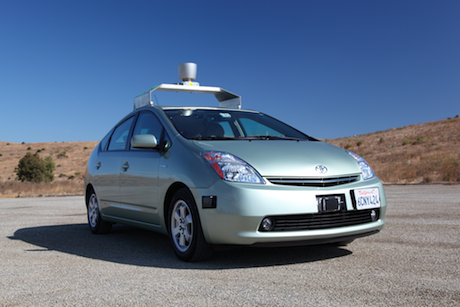
Google Driver less Car
Like James bond cars, can you imagine a car, that can drive themselves? Obviously your answer may, It;s under development by motor vehicle engineers. BUT,
“We have developed technology for cars that can drive themselves”. wrote Google on its official blog.From other companies, you would have expected press conferences, demonstrations at trade shows and paid news for more publicity, But from Google, just a blog post and some snippets for the press. Another casual “Revolution”.
But it’s just not an revolutionary development. 

   Larry and Sergey founded Google, because of they really want to solve and find solution for big problems. And now a days, one of the big problem facing is vehicle accidents and treffic security. Hence now the Internet giant, Google is trying to help us to prevent traffic accidents, also make our way happy and to reduce carbon emission by fundamentally changing car use.
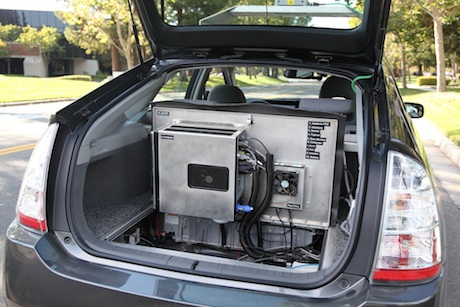
      So Google developed  a new car, that can drive themselves. The Google Automated cars uses video cameras, radars, and a laser range finder to “see” or observe other traffic and to take right decision, as well as detailed maps ( which collect by  manually driven vehcles) to navigate the road ahead. This is all made possible by their large database, which can process enormous amount of data requested by their cars. 
Google Driver less Car inside view
Google’s automated car have some abilities as in James Bond films, Just by its reputation, they can open doors that would be closed to others.
    

Like this post? Follow Us via Facebook | Twitter


Update:  After the introduction of Google Driverless car, Many leading Car manufacturing companies are introduced their driver less car models. 

You may Also Like :

1) Download yours and friends photo albums
2) Facebook Music chat 
2) Import Orkut photos to Google+
3) Youtube gets  face changed
4) Download your information from Facebook

Filed Under: Google, Tech Updates

  • « Go to Previous Page
  • Page 1
  • Interim pages omitted …
  • Page 5
  • Page 6
  • Page 7

Primary Sidebar

Copyright © 2026 TechieFeeds.com