• Skip to primary navigation
  • Skip to main content
  • Skip to primary sidebar

Technology blog

Technology Blog

  • Tech Updates
  • SEO
  • Reviews
  • Google
  • Blogging
  • Windows
  • Downloads
  • Earn-Money Online
  • Android

Tech Updates

Schemer – Events for Google

December 9, 2011 by Technology Blog Leave a Comment

Early today I read,

Google released Schemer, an activities recommendation engine with Google+ integration, in invite-only beta engine.

Lucky me, I got an invite from Indhuja Pillai, a Tech enthusiast. All day being tired of just reading about it and my hands-on was so exciting.
Here you go, hands-on from me.
Schemer, revolves around ‘I want to do it’ and ‘Done it already’. The Header bar, holding the name ‘Schemer’ has a cute little animated Moustache. Try hovering your mouse over it, soon as you get it. Tab ‘Home’ has a neat and clean ‘Search Bar’ and your profile controls, similar to the one in the Google Plus. Rooting my android is my first want to do.
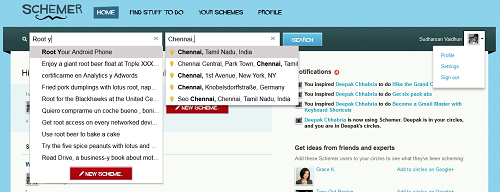
The header ‘Schemer’ and the ‘Search bar’
You can search for a Particular ‘activity a.k.a Scheme‘ with a particular location information or Write your own Scheme and add information to it. You have a white and fresh Notification stream on your right. Scheme’s of your friends in your circles stream in there.
Notification Box
The Homepage include a stream where all the scheme from your circles stream and the default Suggestion bar is also found.
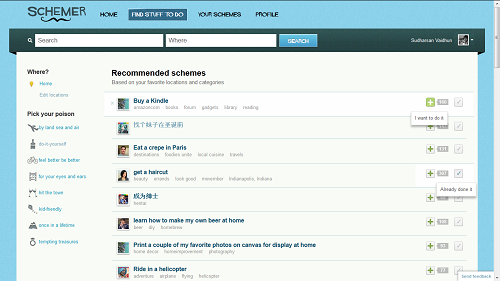
‘Find Stuff to do’
Tab ‘Find Stuff to do‘ – A sepearate tab dedicated to Search. A detailed search where you have a list of ‘Recommended Schemes’ and you can filter them using ‘tags’ & ‘location’. Just by clicking on the ‘+’ icon next to each scheme, the scheme marks it ‘I want to do it’ and clicking on ‘tick’ symbol marks it ‘Already done it’.
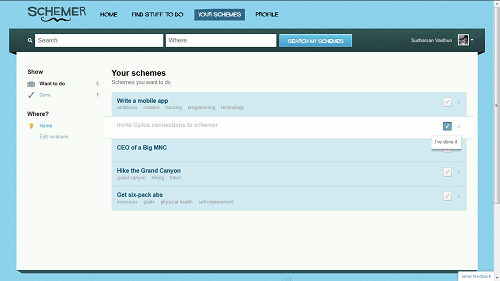
‘Your Schemes’
Tab ‘Your Schemes‘ – All my schemes are enlisted – both ‘want to do’ and ‘done’. Once a scheme is marked ‘To be done’, it stays on the list and remains there unless and until you have ‘done’ it.
Actually till you click ‘done it’. You can always fake things, when you are online!
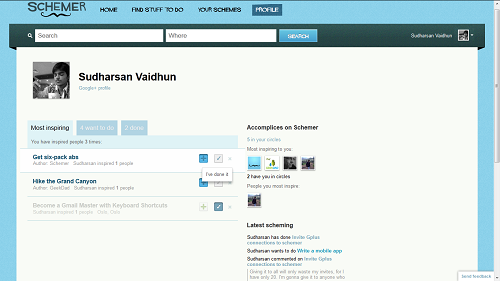
‘Profile’

Tab ‘Profile‘ – All your achievements, accomplices and your latest scheming are held. There is something called ‘inspiring’. When someone wants to do what you have did, then its a inspiration, right? That is what inspiring in Schemer means.
The Settings, is very much straight forward. It is simple (not much complex like Facebook) like twitter and you can add your other addresses, email, notifications and all that general stuff.
Google+ account is very much integrated into Schemer that circles and Google plus profile is linked at very many places all over the engine. Schemer is very much a entertainer. As earlier said, Facebook events and Schemer! I don’t find anything that much similar running between them. Just that they both talk about ‘events in our life’ and Schemer pulls our imagination and Facebook just stays only a little imaginative like the ‘I’ll watch TV and hear songs on 20/12/2012 event on Facebook’. A Pack of close friends and a good number can make it a lot interesting!
Get your Schemer engine as soon as possible and share your reviews under the comments. Request invites before time runs out – everyone has only 20 invites and I’m half done!

You may also like:
1. Mozilla Thunderbird [Direct links]
2. Fly Twitter
3. Firefox – App tabs, Panaroma view, Smart Keywords [Updated]

Filed Under: Reviews, Tech Updates

TweetDeck for all

December 9, 2011 by Technology Blog Leave a Comment

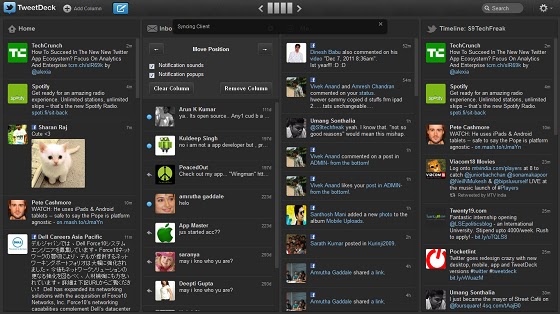
TweetDeck is the ultimate replacement for all desktop clients for Facebook and Twitter. Mozilla couldn’t load TweetDeck and it works only on Chrome and Safari. Yes, If you need TweetDeck, then shift to Chrome! Noah!! I can never leave Firefox! Cool! There is always a solution. TweetDeck has a direct desktop client for Mac and Windows. TweetDeck is available on all platforms – iOS, Android, Mac OS X (10.6 and above), Windows (XP and higher).

Ways to access TweetDeck

  • Windows
    • Chrome Web Store – [App Store]
    • Desktop Client [Directlink]
  • Android -[Market Link]
  • iOS – Apple iTunes – [App Store]
  • Mac OS X – [Link]
  • Or simply use it on your Chrome or Safari Browser.

Any one of the above method, and you will get access to TweetDeck. SignUp to create your TweetDeck Account. Add as many Twitter accounts as you need and a Facebook account. By adding your Facebook account you can control all your Facebook pages from the application. No More going to Facebook for just checking notifications. You can do all that in the TweetDeck.
‘Add Column’ lets you add different column, with each column having a different stream – @Mentions, Direct Messages, Just Entire Stream, your tweets and what not! Facebook has only two streams – Notifications and News Feed!
So its a handy app for Social Netwoking Addicts, You can tweet all day from your desktop, simultaneously see your facebook feeds too.

 This is your key icon! Hit it! Say your status and post it. And You can choose the account(s) to which the current post is sent to!

Filed Under: Downloads, Tech Updates

Google Currents

December 9, 2011 by Technology Blog Leave a Comment

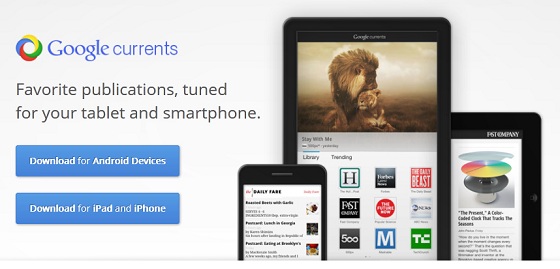
Google Currents is the talk of the day! Twitter is trending ‘Google Current’. Google is constantly updating and ungrading! Today its the Google Currents. Google Current a.k.a Flipboard Rival is a social magazine application. It has apps in both Android as well as in Apple Appstore.
Google Current for Publisher is Open. Anyone with a Google Account can log into, create and manage their Edition. Android smartphone, Tablet, iPhone, iPad views are simulated in Real-time and we can see our edition display on a simulated screen.
Edition can have as many sections as we wish and the sections can be Feeds from our blogs (Atom as well as RSS); articles from Google Docs, Epub or even html; Photos from Google apps like Picasa or Flickr; Videos from Youtube; I have added my G+ personal account stream to My Edition.
Managing the Articles in each section is pretty much straight forward and simple. You can any time edit your article, Add material as you like it.
[Note: Atom and RSS links for a blog can be found in its ‘PageInfo’. ]
`

I’ve given my edition S9TechFreak public access and anyone can read my edition. My edition can be viewed from any Google current enabled device at S9TechFreak
It just has my Google+ stream as well as my personal blog.

Download application: Android Market | Apple App Store

Filed Under: Google, Tech Updates

Samsung wins the battle at Australia: Apple’s appeal Denied

December 9, 2011 by Technology Blog Leave a Comment

 
Samsung and Apple had a tough war in Australia for the past two months. Samsung Tab 10.1 sales was banned completely in Australia, considering Apple’s appeal. Considering the lawsuit filed against it, Samsung modified its tablet 10.1 with horizontal speakers and certain other minor adjustents. Apple made its final appeal on Dec 2 and it was given a week time. Dec 9 It is denied by the court and its ‘Time to Tab’ for the Australians.

Filed Under: Tech Updates

‘Onlive’ for Android and iOS now!

December 8, 2011 by Technology Blog Leave a Comment

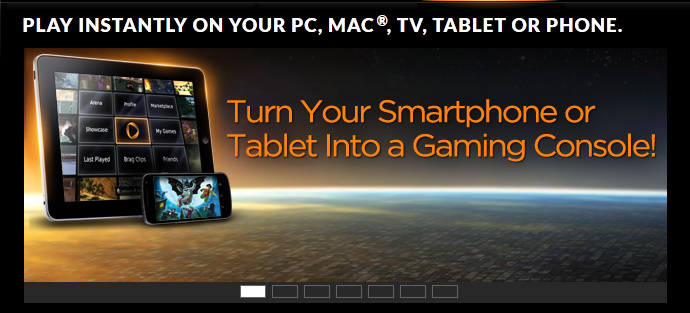
Online Cloud based Gamer Onlive makes its way to mobiles! Sign up, download the Application and start playing. Every user doesn’t have a advanced configured system. Not all games run on low end hardware. And this is so mean that a low spec user cannot play high end games. Now with a Cloud service every user with a fast internet connection can play their favourite games online.
I tried installing the application, registered. Still I couldn’t play the game. It says insufficient speed and high latency 🙁

Filed Under: Tech Updates

‘Carousel View’ for Image Search on Tablets

December 8, 2011 by Technology Blog Leave a Comment

Beautiful Images, Full Size, Super Fast

Google Image search for tablet is enhanced. No special upgrade or download is required. Just browse from your browser on your tablet. No need to goto next page. In a Carousel view, you can just swipe to see more images. Looks pretty good to browse on a tablet, rather browsing on a full screen monitor!

Filed Under: Tech Updates

iTunes Rewind 2011

December 8, 2011 by Technology Blog Leave a Comment

Top Selling Paid app Angry Birds
App of the year Instagram
Game of the year Tinytower
Artist of the year Adele
Song of the year Pumped up Kicks by Foster the people
Album of the year Wasting light by Foo Fighters
Someone like You by Adele from the album 21 is my personal favourite song!

Filed Under: Tech Updates

Fly Twitter

December 8, 2011 by Technology Blog Leave a Comment

A faster, simpler way to stay close to everything you care about.

In the past few months, most of the things we use online have changed. Google+, Facebook timeline and static side notification bar, Gmail, Youtube, Blogger, Picasa, Google Home Search page, Google Reader and their mobile applications have also changed a lot. Facebook for Android had lots of improved features, Google plus for Smartphones updated their like feature on photos and comments, capability to add high resolution photos and its changing day by day. Twitter is now changing. See the new face of twitter at Fly Twitter.

Filed Under: Tech Updates

MAXX Focus – The TouchScreen Projector Phone

December 8, 2011 by Technology Blog Leave a Comment

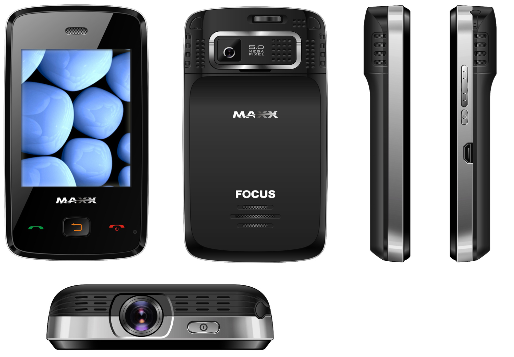
Projector mobiles! The latest technology creeping into the market step by step – inbuilt projector in a mobile. Spice and G’Five entered the projector phone market quite early, they were the first in India. Now MAXX mobiles have launched their projector mobile.
Named as MAXX Focus, it stands very much advanced from its pioneers. It has a Full Touch Screen, Two sockets for the sim – A Dual Sim, and inbuilt projector. Not only these special features, but it has a decent 5MP camera and 2.8 inch displays, runs on a 208MHz processor. It includes the basic features – bluetooth, wireless radio, video and audio player, USB support and a memory slot. These are more-than-enough features that can be expected from a mobile priced at 6999 INR.
Java Games and Applications comes pre-loaded in the handset.
Official link for mobile details MAXX Mobiles.com

Filed Under: Tech Updates

Import Orkut Photos to Google+

December 8, 2011 by Technology Blog Leave a Comment

Long back, by the end of June 2011, Google plus a.k.a Google+ was released as an ‘invite only’ trial product. Lucky me, I got an Google plus account on July 4th. It was great exploring the new concepts – Circles, Sparks, Hangouts. Everyone should be having an account in Google’s New Social networking site as its no more a test product and it was officially launched to the public on September 20th. To read more on Google plus have a check on Google’s Official Blog.
With so many Social sites available its really tough to be in just one site these days. Myspace, FaceBook, FourSquare, Friendster, Last.fm lots more and even Google’s own products like the Orkut, Google Buzz, Google Wave, iGoogle. Its definitely impossible to upload photos in all the sites you have an account. Why not transfer photos from one to the other?
As Orkut started dying due to the exponential sudden growth of Facebook, my friends naturally shifted to Facebook, and again when Google plus came, most of the people who are die hard Google fans starting moving again (I’m one among them.)

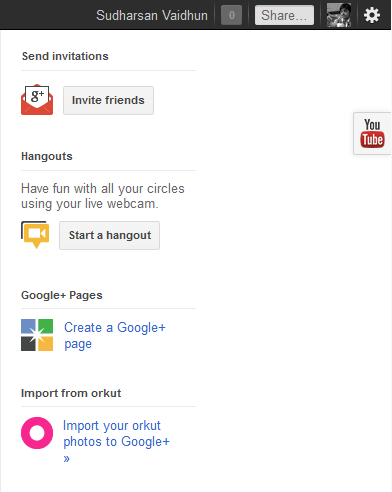
Too many steps huh? Now there is an option in Google plus itself.

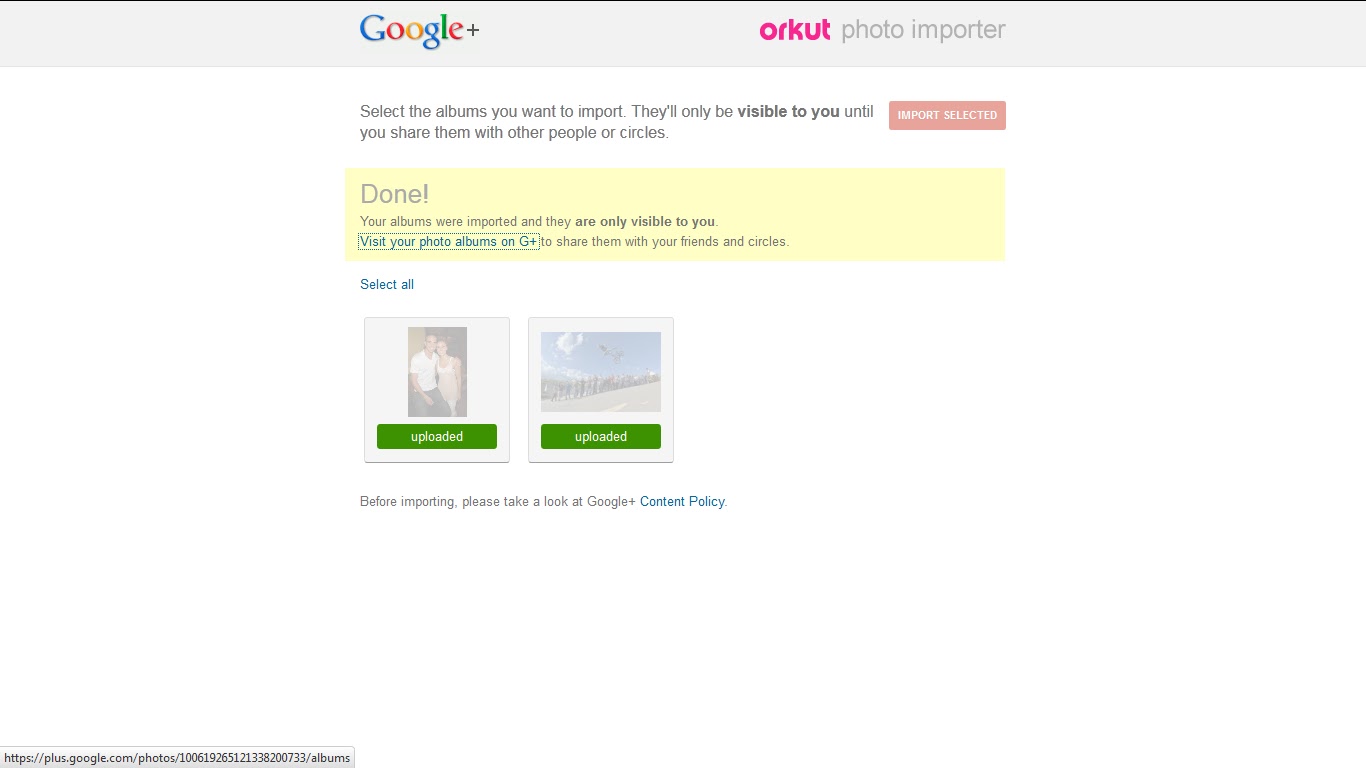
Simply click it, You will get redirected to Orkut Photo Importer. Select your albums to be transferred. Click ‘Import selected’
Ta!daah..!! Its done!
But dont forget to change its privacy settings, Thats most important in security as well sharing!

Filed Under: Google, Tech Updates

  • « Go to Previous Page
  • Page 1
  • Interim pages omitted …
  • Page 4
  • Page 5
  • Page 6
  • Page 7
  • Go to Next Page »

Primary Sidebar

Copyright © 2026 TechieFeeds.com